
First payout: wallet and Payout Details
Everything below is advice, not a requirement: you choose the wallet, the exchange and the network yourself, and Sharing SMS does not endorse any of the services mentioned. Rewards are paid once a month in cryptocurrency: USDT or USDC. To receive the first payout you need a wallet address, entered in the Payout Details of your Personal Account before the end of the month. This guide explains how to get an address, which network to choose, how to check the address and what to expect on payday. The general payout rules are on Payouts and Withdrawals.
- When the first payout comes
- Choose the network
- Get a wallet address
- Fill in Payout Details
- On payday
- Common mistakes
When the first payout comes
- Earnings are credited daily for every stably working (Ready) SIM card with the Active status; a day with more than 6 hours in “Not Ready” status is not paid. On the 1st of the next month the accumulated amount becomes available, and between the 1st and the 10th it is sent automatically to the payout details you saved.
- The first payout arrives in the month after the month in which your number started earning. Example: the number was rented on 20 September, the first payout comes between 1 and 10 October.
- The minimum payout is 10 USDT or 10 USDC: this is a network limit, not ours. If the month’s balance is lower, it carries over to the next month.
- We charge no fees. The network fee for sending the payout is on us; fees for moving the money further from your wallet depend on your wallet or exchange.
Choose the network
USDT and USDC are stablecoins pegged to the US dollar. Each of them exists on several blockchains, and an address is valid only within one of them. Two options are available in Payout Details:
Tether (USDT TRC-20).
USDT on the Tron network. Transfers are fast and later withdrawals from your wallet are cheap. A Tron address starts with T and has 34 characters. Tether: supported protocols. Tron documentation: accounts and addresses.
USD Coin (USDC ERC-20).
USDC on the Ethereum network. Later transfers from your wallet cost Ethereum gas, which can be several dollars. An Ethereum address starts with 0x and has 42 characters. Circle: where USDC is available. ethereum.org: what gas is and why it costs.
A mismatch between the coin and the network is the most common cause of lost payouts. USDT TRC-20 must go to a TRC-20 address, USDC ERC-20 to an ERC-20 address. Funds sent to the wrong network cannot be recovered.
Get a wallet address
You need an address in the chosen network. Any of these works:
A wallet app on your phone.
For USDT TRC-20: Trust Wallet or TronLink. For USDC ERC-20: MetaMask or Trust Wallet. Install the app from the official site or the app store, create a wallet, write down the recovery phrase on paper and never share it with anyone, including our support. Open the coin (USDT or USDC), tap Receive, choose the network and copy the address. Trust Wallet help center. MetaMask: recovery phrase, password and private keys. ethereum.org: how to choose a wallet.
A deposit address at a crypto exchange.
In the exchange app, open Deposit, select USDT or USDC, select the network (TRC-20 or ERC-20) and copy the address shown. Exchanges may require identity verification before you can withdraw.
Copy the address; never retype it by hand. ethereum.org: security and scam prevention.
Fill in Payout Details
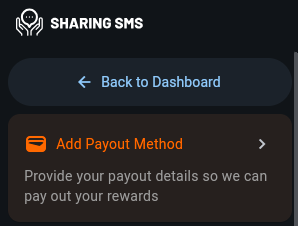
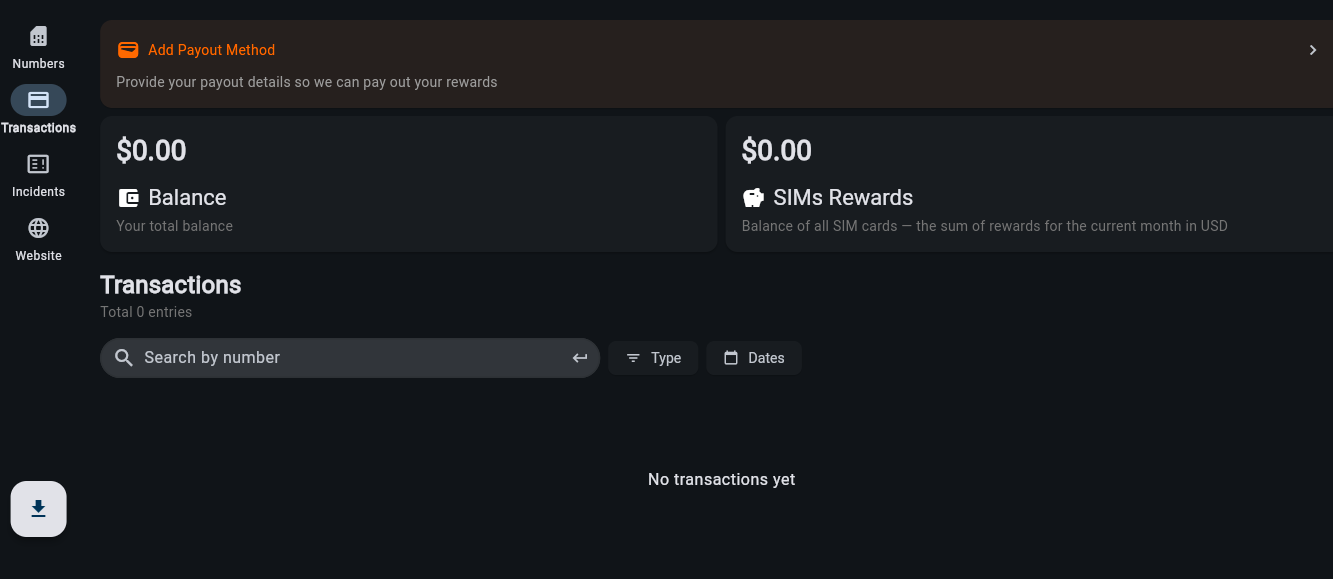
- Log in to your Personal Account and tap the Add Payout Method banner at the top of the Rewards section. Your Payout Details screen opens.
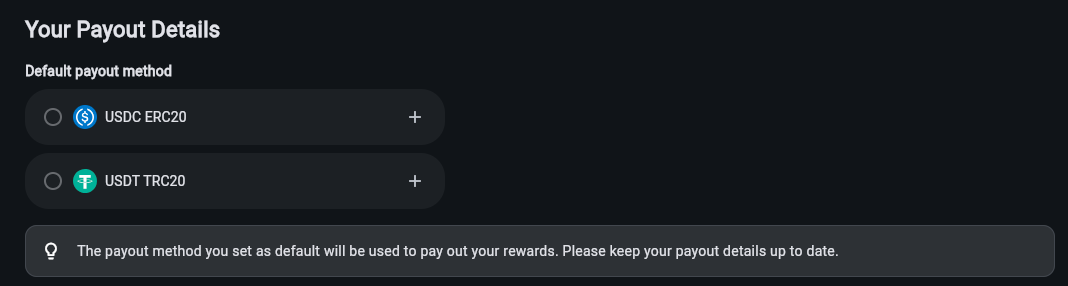
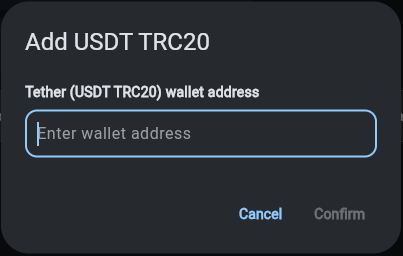
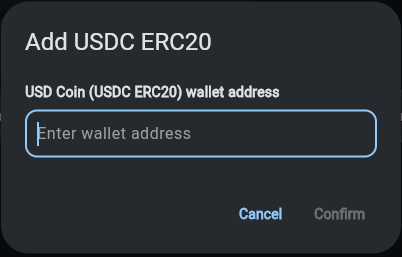
- Under Default payout method there are two rows: USDC ERC20 and USDT TRC20. Tap the plus next to the one you chose, paste the address into the wallet address field and tap Confirm.
- Compare the first and last 4–6 characters of the pasted address with the one in your wallet. Check the network once more.
- Select the circle next to that method to make it the default: the method marked as default is the one used to pay your rewards.
- Do this before the end of the month: payouts start on the 1st. If you later change the wallet, update the address here.
On payday
- Two cards at the top of the Rewards section show the money: Balance is your total balance, SIMs Rewards is the sum of rewards for the current month across all SIM cards. Amounts are shown in USD and paid in USDT or USDC one to one.
- The payout is sent automatically between the 1st and the 10th. Check the wallet or exchange account, not only the Personal Account: the transfer appears there first.
- The Rewards list shows what the amount is made of: the reward for each SIM card and the referral rewards, with dates. You can filter it by Type and Dates or search by number. There is no transaction hash there. To check that the transfer reached your wallet, look in the wallet itself or paste your address into the public explorer: Tronscan for TRC-20 or Etherscan for ERC-20. The explorer shows every incoming transfer with its time and amount.
- If it is the 10th and there is no payout: check in SIMs Rewards that the past month reached 10 USDT or USDC, that a payout method was saved before the 1st, and that the address is correct. Then write to support with the address and the month. Support and Contacts.
Common mistakes
- Address of another network or another coin.
- Address retyped by hand, with one wrong character.
- Payout Details empty or changed after the 1st: the month is paid to what was saved at the moment of payout.
- Losing the recovery phrase: without it, access to the wallet cannot be restored, so keep it in a safe place.
 English
  Українська
  Français
  Español
  简体中文
简体中文  العربية
  Bahasa Indonesia
  Türkçe
  Italiano
  Tiếng Việt
  Deutsch
  Русский