
Statuses and Personal Account
The Personal Account is your account on the sharingsms.com site: your numbers and their statuses, earnings, incidents and payout details. The Sharing SMS app on the phone shows the same statuses for the numbers added on that device. This guide walks through the sections of the Personal Account, explains the two balances and tells what every status means and what to do about it.
Sections of the Personal Account
Header
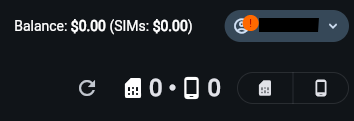
Balance is your total balance; SIMs, in brackets, is the sum of rewards for the current month across all SIM cards. Next to it are the number of your SIM cards and devices, and the refresh icon reloads the data. Your avatar in the corner opens Account Settings and Log Out.
Numbers
The list of all your numbers with their statuses and the device each one is bound to. From the menu of a number you can open SIM Info: the details the app exchanges with the server, including the Battery level of the phone. This is also where you delete a number, for example before adding it again on another device.
Rewards
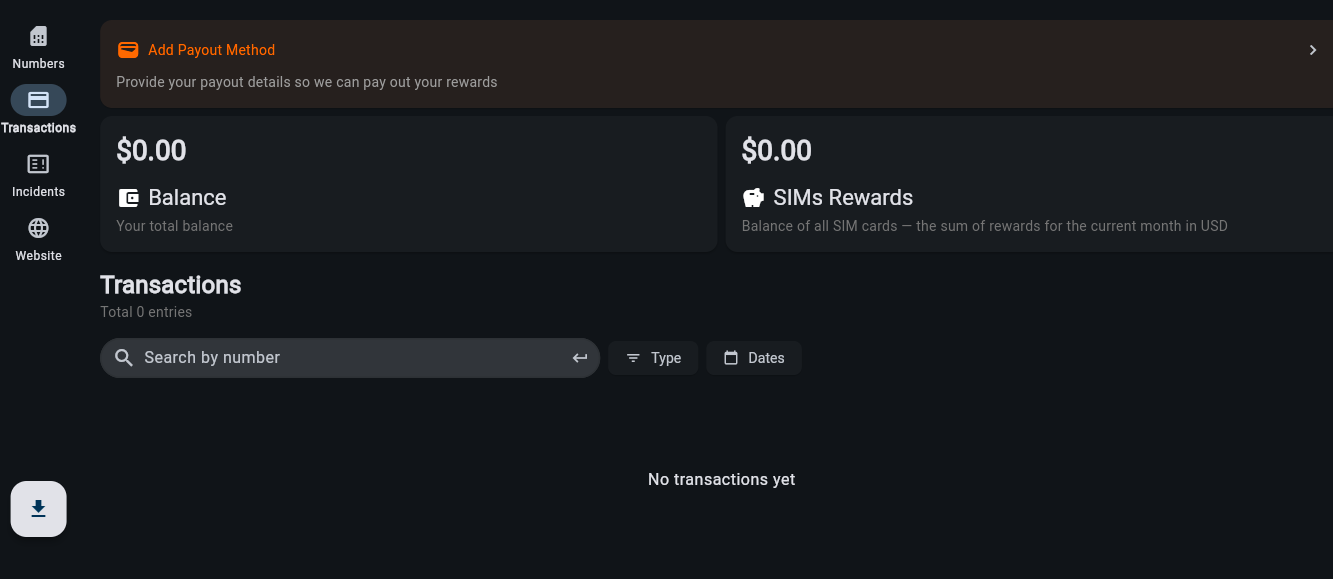
The money: the Balance and SIMs Rewards cards, the Add Payout Method banner and the list of accruals, one entry for each SIM card and for each referral reward, with dates. Filter it by Type and Dates or search by number.
Incidents
The daily history of every SIM card: status changes, downtime and penalties. This is the place to look when a day was not paid.
Referrals
Appears after the stability period, with your personal link. You receive 10 percent of what each active referral earned in the previous month. Referral program.
Account Settings
Your contact number, e-mail, Telegram and WhatsApp. Fill in Telegram or WhatsApp so that support can reach you quickly, for example when there is an order for your number but its status is Not Ready. Add the e-mail: we use it to inform you about status changes and incidents. Incident notifications can also come to Telegram: Telegram notifications setup.
Website
Takes you to sharingsms.com: the guides, the FAQ and the support contacts.
Download button
In the bottom left corner: the current APK of the app. APK installation.
Two balances
SIMs Rewards
The balance of the current month. Every day, each SIM card with the Active status that worked stably (Ready) adds its daily reward here. A day with more than 6 hours in the Not Ready status is not paid.
Balance
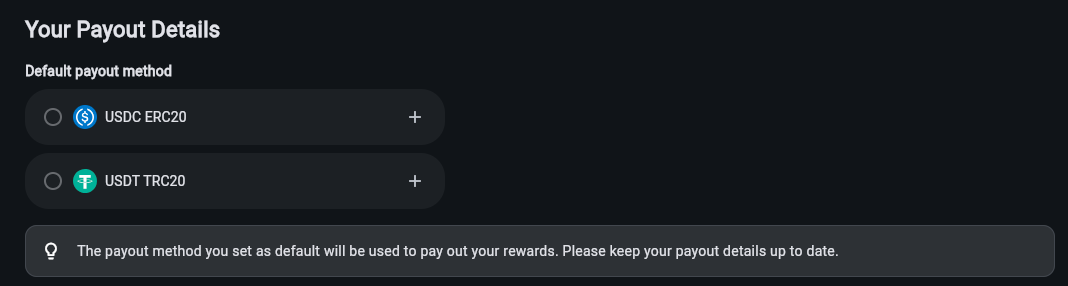
The total. At the end of the month the SIMs Rewards of all SIM cards are transferred here, and between the 1st and the 10th the amount is sent automatically to the payout method marked as default in Your Payout Details.
The minimum payout is 10 USDT or 10 USDC, a limit of the blockchain network. A smaller amount carries over to the next month. Amounts are shown in USD and paid in USDT or USDC one to one.
Your Payout Details opens from the Add Payout Method banner at the top of Rewards. How to get a wallet address and fill it in: First payout: wallet and Payout Details. The payout rules: Payouts and Withdrawals.
Statuses: what they mean and what to do
Every number in the Numbers section carries three things at once. The Status says whether the number is online: Ready, Not Ready or Unknown. The State says whether it is rented: Active or Inactive, or Replace when the SIM card itself needs replacing. Next to the State, in brackets, stands the additional state of the number on the platform: New, In use, On hold or Used. The app shows the same statuses; when it loses the connection to the server or the SIM card is unavailable, it additionally shows Failed.
Status: Ready, Not Ready or Unknown
Ready
The number is online and can receive SMS.
Nothing to do.
Not Ready
The number is offline or cannot receive SMS.
Go through the checklist in the Not Ready status guide: restart the app and the phone, check the connection, the permissions, the default SMS app and battery optimization. More than 6 hours of Not Ready in one day means that day is not paid, and the Incidents section records it. If there is an order for your number while it is Not Ready, support may contact you.
Unknown
The platform has no fresh data about the number: the app has not reported its state yet, for example right after adding or when the phone has been offline for a long time.
Open the app on that phone and check the connection: the status updates as soon as the app reconnects to the server. If it stays Unknown, go through the Not Ready checklist.
Failed (in the app)
There is an incident with the server connection or the SIM card is unavailable.
Treat it like Not Ready: restart the app, check the connection and the SIM card. The notification panel of the phone shows the app’s notification with the statuses of your numbers, so you notice it without opening the app.
State: Active, Inactive or Replace
Active
The number is rented out and earning.
Keep the phone charged and online around the clock, do not take the SIM card out and do not delete the number: the client is using it. If you have to change the phone, insert the SIM card into the new one, add the number with Add and tap Migrate to this device. If the migration does not complete, make sure the SIM card works and write to support. Moving to a new phone.
Inactive
The number is not rented out.
An Inactive number still has to be online: an unstable number does not pass the assessment and is not rented. Nothing is earned until the first rental, and how soon it comes depends on demand for your country. To move an Inactive number to another phone, delete it in the Personal Account first and then add it on the new device. Moving to a new phone.
Replace
The SIM card has worn out: too many registrations, failures, spam. Clients no longer take it.
Prepare a new SIM card whose number has never been used to register on any services and add it in the app. If you are not sure what to do with the old number, ask support before deleting it.
Additional state, shown in brackets in the State
New
The number has never been used to register on any services.
Such numbers are rented first: this is exactly what clients need.
In use
A client is using the number right now: it receives SMS for them.
Keep the phone online and do not take the SIM card out until the rental ends.
On hold
The number is in the Number Stability Assessment: the trial period of about 10 days after adding.
The platform checks that the number stays online; if there are no availability problems, the number enters the rental pool. Keep the phone online for the whole period: an unstable number does not pass the assessment. Nothing is earned during it.
Used
The number has already been used for registrations.
It can still be rented, but it is not prioritised, so it waits longer than a New number. Some Used numbers can be restored to New if you delete the accounts on the most popular services after a client has used the number; support can tell you which services are registered.
Incidents and the penalty
The rule is one: if a SIM card stays offline or disconnected for more than 6 hours in a single day, that day is not paid for that SIM card. Shorter breaks cost nothing.
- The Incidents section lists, day by day and per SIM card, the status changes, the downtime and the penalties. If a day is missing in Rewards, the reason is here.
- You learn about incidents right away by e-mail and, if set up, in Telegram: the app lost the connection to the server or a number became unavailable. The sooner the number is back online, the smaller the chance of crossing the 6-hour line.
Where to look
| What happened | Where to look |
|---|---|
| No reward for a day | Incidents, then the Not Ready status guide. |
| The number is not being rented | Numbers. Inactive with On hold in brackets is normal: the assessment is running. Inactive with New waits for demand; Used waits longer; Replace needs a new SIM card. |
| The payout did not arrive | Rewards and Your Payout Details, then the first payout guide. |
| The numbers disappeared after changing the phone | They are bound to the Device ID of the old phone: migrate Active numbers with Migrate to this device, re-add Inactive ones. Moving to a new phone. |
| Anything else | Support and Contacts. Support works Monday to Friday, 8:00 to 20:00 (EET). |
 English
  Українська
  Français
  Español
  简体中文
简体中文  العربية
  Bahasa Indonesia
  Türkçe
  Italiano
  Tiếng Việt
  Deutsch
  Русский